Installer groot
Recommandé : exécutez le script installateur, puis vérifiez avec groot -v (actuellement v1.1.1).
Unix (macOS, Linux, WSL)
curl -fsSL https://get.groot.hermesrodriguez.com/install.sh | sh
Inspecter avant exécution : curl -fsSL … -o install.sh && less install.sh
Autres méthodes d'installation
| Homebrew | brew install --cask hrodrig/groot/groot |
| Go install | go install github.com/hrodrig/groot/cmd/groot@latest |
| Docker | docker pull ghcr.io/hrodrig/groot:1.1.1 |
| GitHub Releases | .deb, .rpm, .tar.gz |
| Plugin kubectl | kubectl groot validate --config groot.yml |
Workflow incident (1.0)
Définissez config_version: 1 dans les nouvelles configs ; validez avant le premier run planifié ; utilisez --summary sur collect ; inspectez les archives offline. Voir SPECIFICATIONS.md.
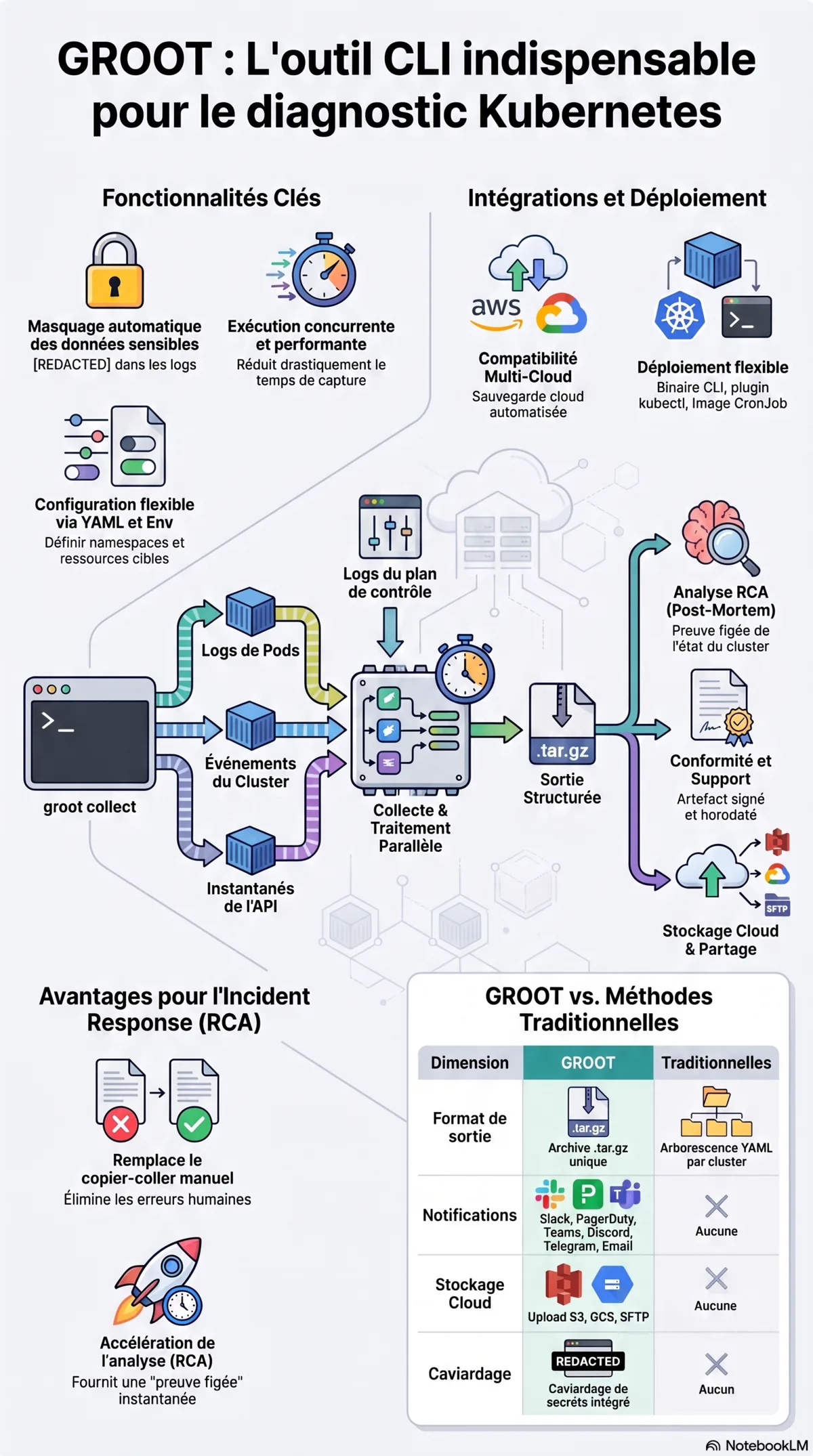
$ groot validate --config groot.yml
$ groot collect --config groot.yml --summary
$ groot inspect ./groot-*.tar.gz
Homebrew 6+ (confiance des taps)
Homebrew 6 exige la confiance pour les taps tiers. brew install --cask hrodrig/groot/groot (nom complet) ne fait confiance qu’à ce cask. Les avertissements « Skipping … because it is not trusted » sur d’autres taps pendant l’auto-update n’empêchent pas groot.
Installation plus silencieuse : HOMEBREW_NO_AUTO_UPDATE=1 brew install --cask hrodrig/groot/groot. N’utilisez pas HOMEBREW_NO_REQUIRE_TAP_TRUST=1 (déconseillé ; sera retiré). Voir docs.brew.sh/Tap-Trust.
Premier lancement macOS (Gatekeeper)
Les binaires CLI non signés peuvent afficher « Apple n’a pas pu vérifier… » au premier lancement de groot ou kubectl groot. C’est la quarantaine de téléchargement, pas un malware. Supprimez-la une fois pour chaque binaire utilisé :
xattr -dr com.apple.quarantine "$(command -v groot)"
xattr -dr com.apple.quarantine "$(command -v kubectl-groot)"
Ou Réglages système → Confidentialité et sécurité → Ouvrir quand même. Les casks Homebrew à jour retirent la quarantaine à l’installation.
Premiers pas
$ groot --print-sample-config > groot.yml  # adjust
$ groot validate --config groot.yml
$ groot collect --config groot.yml --summary
$ groot inspect ./groot-*.tar.gz
Pointez groot vers votre kubeconfig, lancez groot collect et joignez le tarball. Voir SPECIFICATIONS.md.